
Freelance Starter OS Pro
When you start freelancing, how will you keep everything organised?
Your clients.
Your projects.
Your tasks.
Your payments.
At the beginning, many freelancers do not think much about this.
They focus on finding work first. Then later, they realise that things are starting to feel scattered.
Client details are in messages.
Tasks are written somewhere else.
Payments are hard to track.
After a while, it becomes difficult to keep everything clear.
That is usually when people start looking for a simple system.
A simple workspace for beginner freelancers
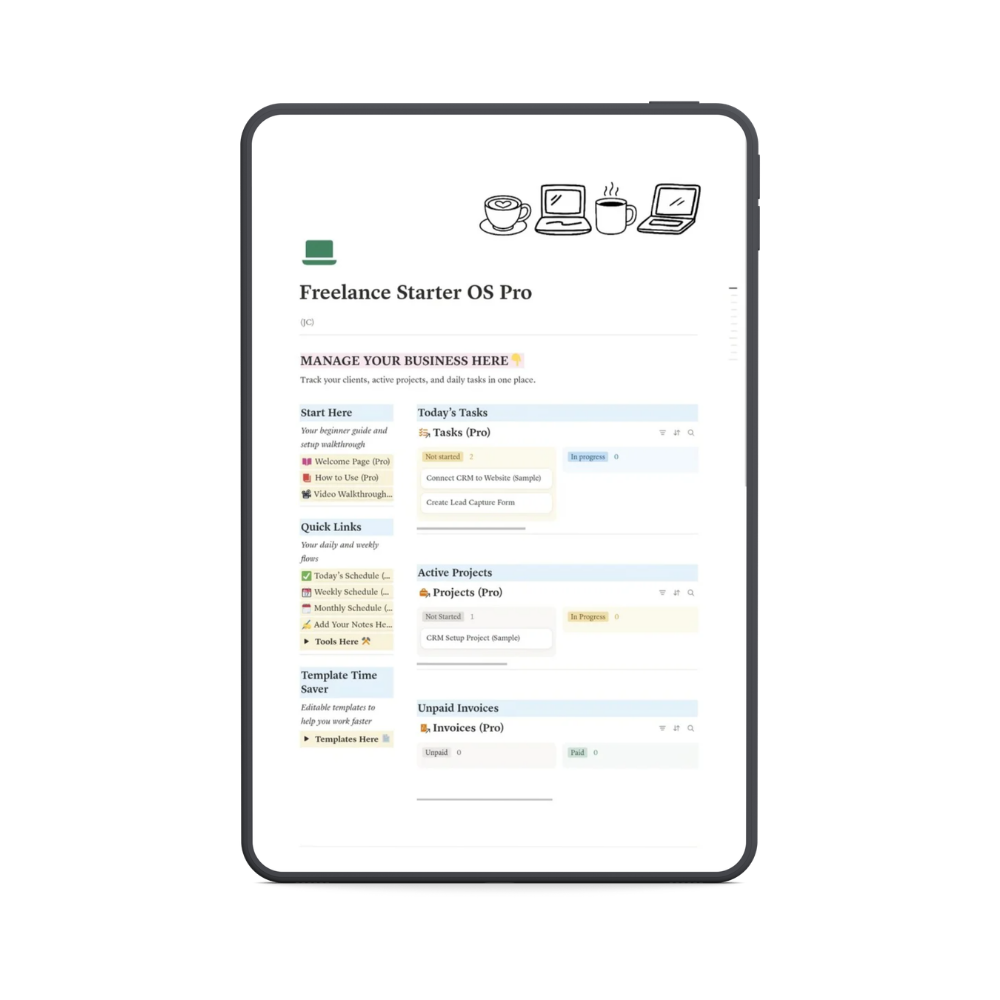
Freelance Starter OS Pro is a ready-to-use workspace built in Notion.
It helps you organise the important parts of your freelance business in one place.
Instead of building your own system from scratch, you can start with a structure that is already prepared.
You duplicate the workspace, adjust it to your needs, and begin using it.
What you can manage inside the workspace
Inside Freelance Starter OS Pro, you can keep track of:
Clients
Store client information so you always know who you are working with.
Projects
Track your current work, deadlines, and progress.
Tasks
Organize your daily freelance tasks in one place.
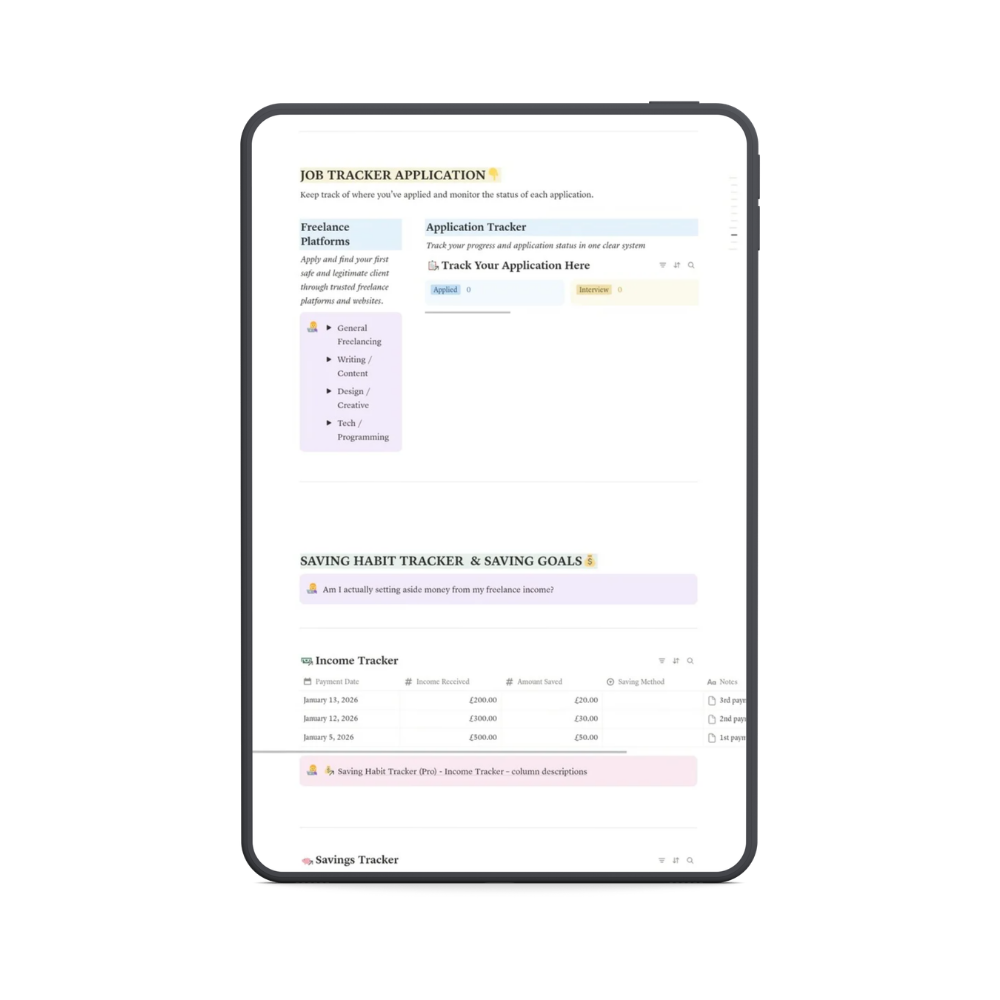
Income
Record payments and see how your freelance income grows.
Workflow
Follow a simple structure for managing your freelance process.
Everything stays inside one workspace so you do not need to jump between different tools.
Who this is for
This workspace is designed for beginner freelancers.
It may help if you:
• are working with your first clients
• want a clear way to organize your freelance work
• feel like your notes and tasks are scattered
You do not need advanced Notion skills to use this system.
Why I created this
When I started freelancing, I realized that managing everything without a system made things harder.
Clients, projects, tasks, and payments all needed a place to stay organized.
Over time, I created simple systems to keep everything clear and manageable.
Freelance Starter OS Pro is a structured version of that system, designed especially for beginners.
What you will receive
When you get Freelance Starter OS Pro, you will receive:
• the Notion workspace
• a simple setup guide
• instant access
The workspace is easy to duplicate and adjust to your own workflow.
Get access
If you want a simple place to organise your freelance work, this workspace can help you get started.
Freelance Starter OS Pro gives you a clear structure for managing your clients, tasks, projects, and income.
New to Notion?
Freelance Starter OS Pro works inside Notion, a simple workspace where you can organize your projects, tasks, notes, track your applications, monitor your freelance earnings, and databases in one place. Many freelancers use it to manage their work because it is flexible and easy to customize.
If you do not have a Notion account yet, you can create one in just a few minutes. Once your account is ready, you will be able to duplicate the Freelance Starter OS Pro workspace and start organizing your freelance work right away.