
Run your freelance business with confidence and a clear system.
In the freelancing business, you don’t need a complicated system just to stay organized. All you need is one place that feels calm to use and is user-friendly.
If you have just started in freelancing, feeling overwhelmed is the number one emotion that you are going to experience.
Information is here and there. Courses that you need to finish studying. YouTube videos about freelancing that are still unwatched.
Your notes are scattered across various notes, apps, and random files, and because of that, your projects, tasks, and even your clients’ information are everywhere.
And because of this, you feel freelancing is much harder than you thought. It feels heavy, and sometimes you want to quit, thinking that maybe freelancing is not for you.
I’ll be honest, most beginners feel that way.
🌟 The Solution?
But let me tell you, what if all of this has a solution?
A solution that would save you hours and your freelancing life from misery, and that solution can give you not just one but seven solutions in one space.
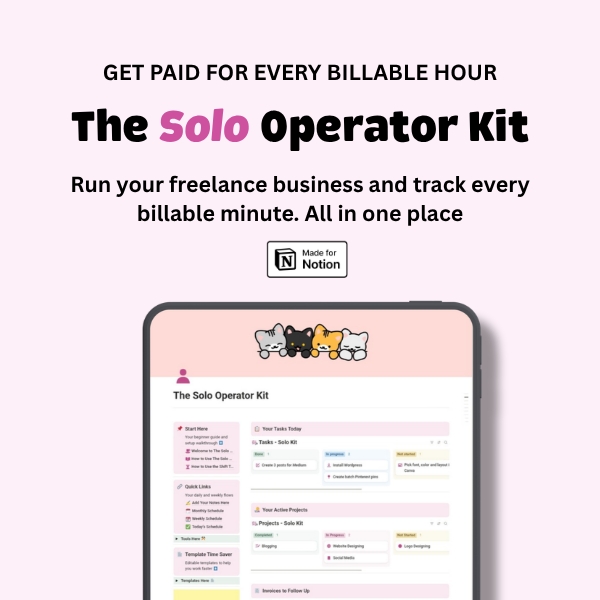
And this solution that I can offer to you is the Solo Operator Kit.
Get the full Solo Operator Kit for $20
One-time payment. Lifetime access. Easy Notion duplication.
REMINDER: Due to the digital nature of this product, all sales are final.
🌟 What’s the Solo Operator Kit?
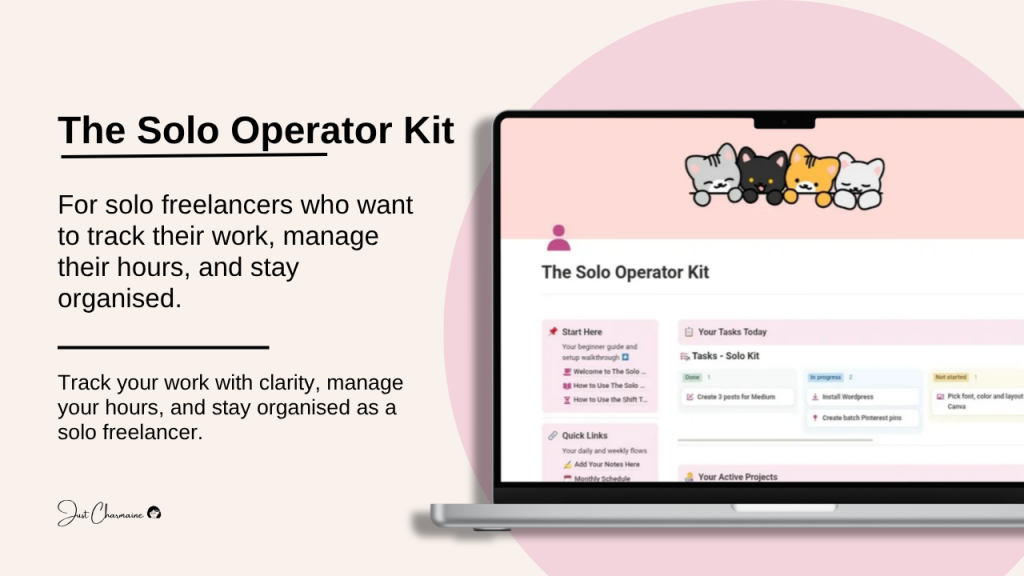
The Solo Operator Kit is a beginner-friendly Notion system I made for beginner freelancers and for freelancers who have just started. They have gotten their first client and are now looking for a proper system that will handle their work.
The Solo Operator Kit combines the two major parts that most freelancers need.
1. Freelancers Dashboard
This is your space where you can oversee everything: your projects, tasks, clients, templates, calendar, etc.
2. Shift Tracker
This is your space to track and monitor your worked shifts or hours.
And because of these two major spaces inside the Solo Operator Kit, you will get organized without feeling pressured or confused.
🌟 What’s Inside?
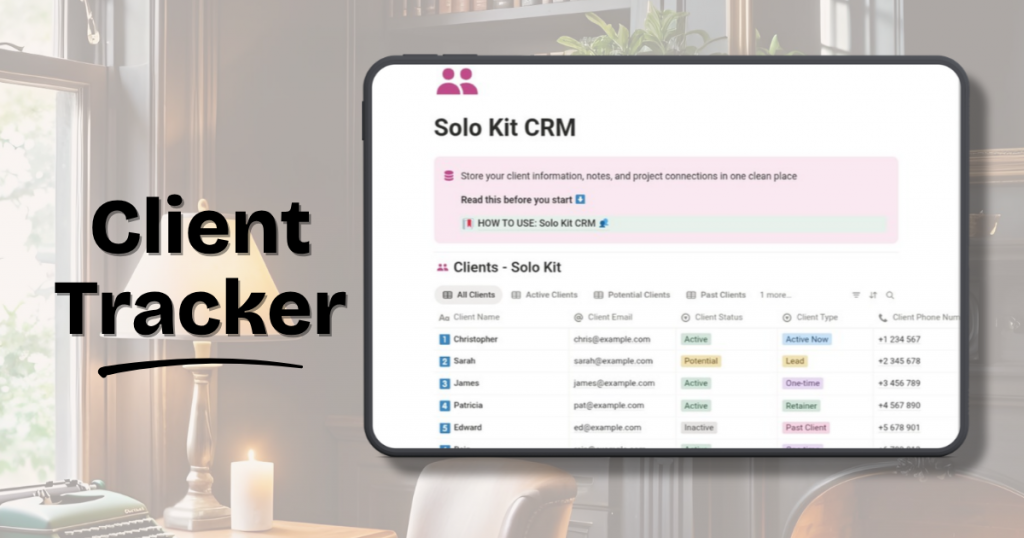
1. Client Tracker – This is where you store all of your clients’ details, such as their email address, mobile number, name, status, project with them, and notes.
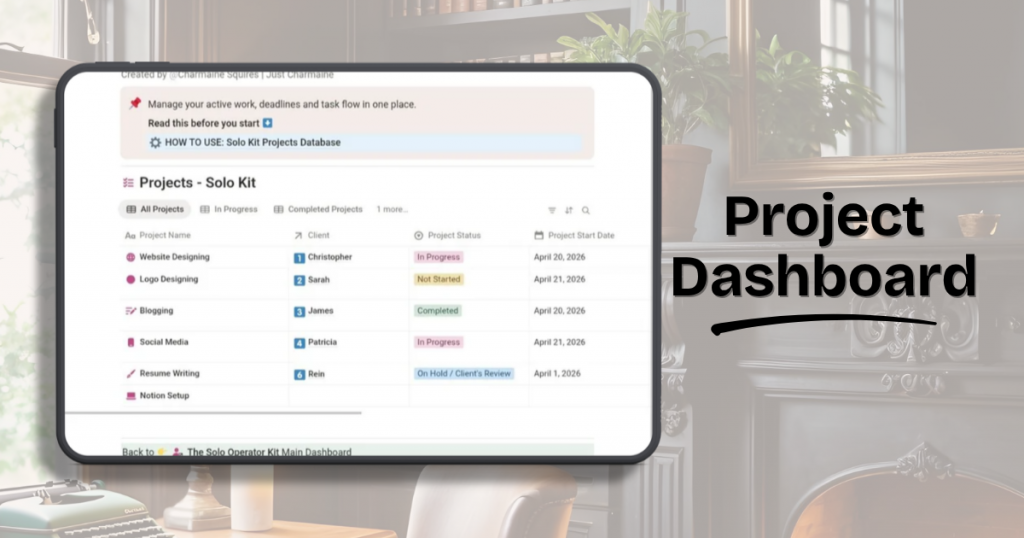
2. Project Management Dashboard – This is where you oversee your projects for your different clients. Here, you can view the status, start and due dates of your projects, your priority level per project, and the tasks under each project.
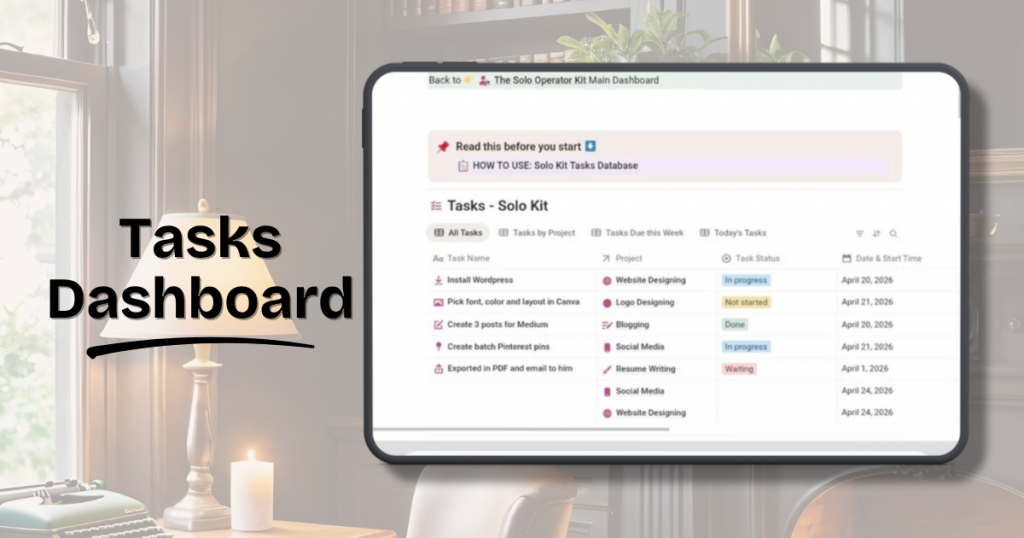
3. Task Manager Dashboard – This is where you manage your daily or weekly tasks under your clients’ projects. You can monitor the status, date started and ended, and the priority level of each task here.
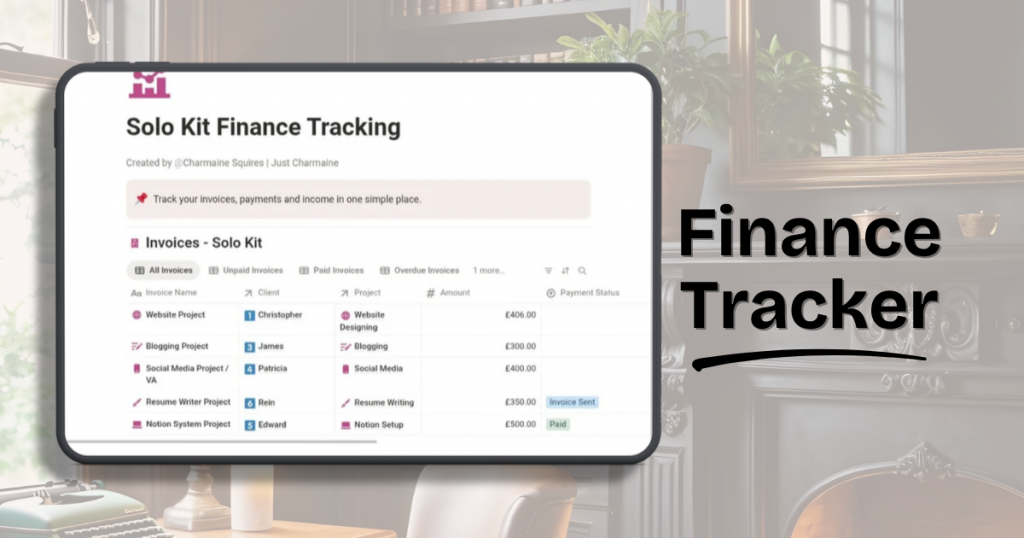
4. Finance Tracking – This is one of the important parts, and as a freelancer, we do want to get paid for the services that we provide. To do that, you have to monitor this.
Because inside the finance tracking is where you can create an invoice for your client and send it to them. You put the amount of your project that your client owes you.
You can also monitor the status of the payment, invoice date, and the date when the payment is received.
If you want a smoother, clearer freelance routine, this system is for you
One-time payment and Lifetime access.
REMINDER: Due to the digital nature of this product, all sales are final.
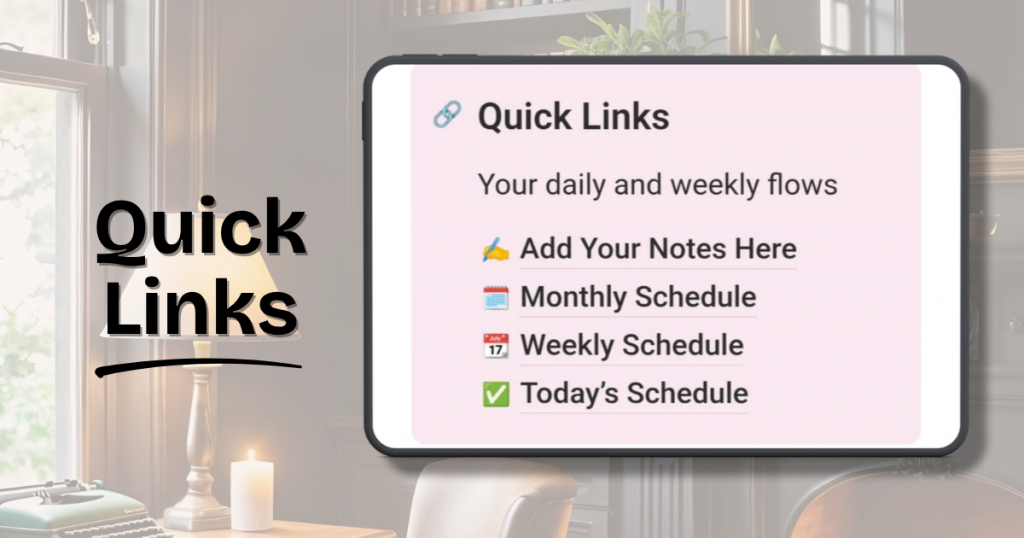
5. Quick Links – This includes your daily and weekly flows. Under this are your today’s, weekly, and monthly calendar schedules. And your notes, where you can dump your thoughts and ideas.
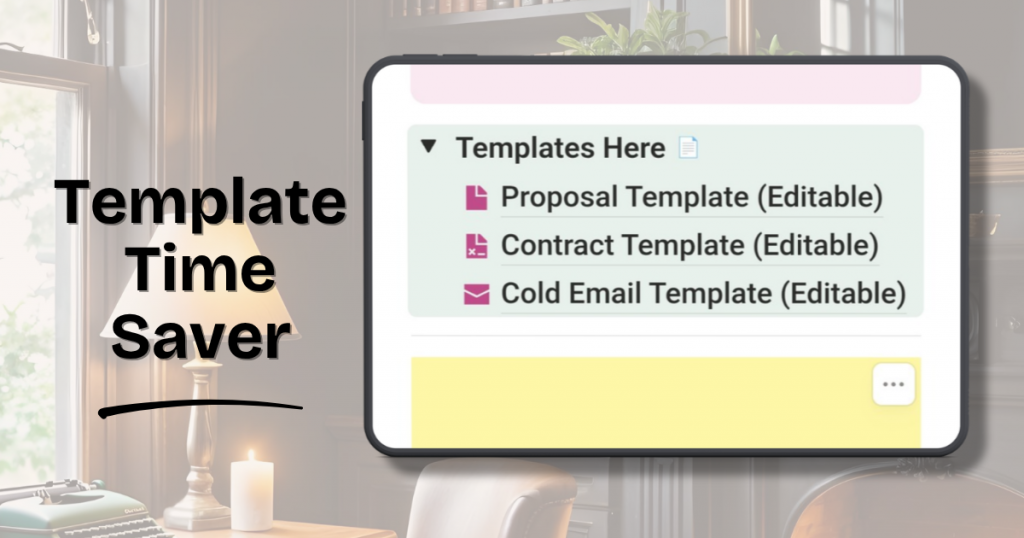
6. Template Time Saver – This part consists of three templates that are important for your freelancing business. These templates are editable and will help you work faster. These three templates are proposal, contract, and cold-email templates.
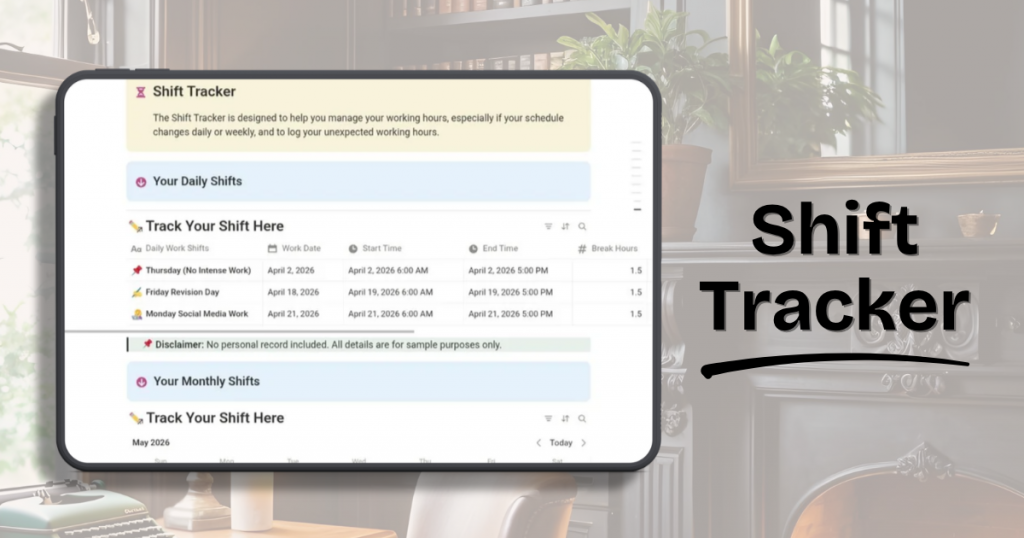
7. Shift Tracker – This is one of the important parts of the Solo Operator Kit. As a freelancer, most of us work per hour, especially when we get started.
Every second, every minute, and every hour is important because this is how you get paid when you are working per hour.
This is one of the problems that Shift Tracker solves for you because, with Shift Tracker, you can monitor your hourly shifts, even the quick revisions that your client requests unexpectedly, and you can record them manually here. The total hours of your work per day are calculated automatically.
So if the time comes that your client asks for some proof of your worked hours, you can export it as a PDF and send it to your client’s email, together with the details of what you have done per shift.
🌟 Benefits for You
The Solo Operator Kit will help you stay organized with less effort.
- It keeps your freelance work all in one clean space.
- You don’t need ten apps to manage your freelance business, and no more overwhelming scattered notes.
- It helps you focus more on your business than on creating and organizing your system.
- You can see, track, and monitor your progress clearly.
- It boosts your confidence to accept additional work because you are much more organized now.
- No more unpaid working hours, especially those quick revision moments that your client requested you to do unexpectedly.
- Every piece of work you’ve done and every shift is documented and billable.
🌟 Who it is for?
The Solo Operator Kit is a perfect fit for:
- Beginner freelancers who want to have a proper system that will support them from the start.
- Freelancers who have just recently started, got their first client, and are looking for a system to help them run their freelance business properly.
- Stay-at-home parents who want to start freelancing at home and don’t have time to create their own system and want to save time and focus on finding clients.
- And for anyone who feels stuck, overwhelmed by scattered tools.
🌟 What You Get with Lifetime Access 🌟
No Subscription • Unlimited duplication • Use it forever
Start Your Freelance Journey with Clarity and Confidence
One-time payment. Lifetime access. Easy Notion duplication.
REMINDER: Due to the digital nature of this product, all sales are final.
🌟 FAQ
Do I need to be an expert with Notion to use this?
No. The Solo Operator Kit is beginner friendly and easy to use even if you are new to Notion.
Can I use this on the free Notion plan?
Yes. Everything works on the free plan.
Is this a one‑time payment?
Yes. You pay once and get lifetime access.
Can I duplicate this template more than once?
Yes. You can duplicate it as many times as you want.
Do you offer refunds?
Due to the digital nature of this product, all sales are final.